First passport · DS-11
Bring one physical 2×2 inch photo to your appointment. Our crop and print layout are designed for this paper-photo task.
Let the acceptance agent attach the photo to your form.
Check the in-person instructions →Make a 2×2 U.S. passport photo and a six-photo 4×6 sheet for your paper application.
Start with your own unedited photo. Check it, adjust the crop, and review both previews. Your photo stays on your device.
One photo. Six print copies.
Automated estimates only. Government acceptance is not guaranteed.
Renewing online? Use your original digital photo — no print files needed.
This is your own crop repeated at the same size. Download this sheet and a separate 2×2 JPG for free, without preview marks.
Print the sheet at 100% actual size on photo-quality paper. Measure each finished photo: 2×2 inches. A lab's automatic cropping can change the size.
Read the printing steps →The blue guides on your original must mark the top of your whole head and the bottom of your chin. Adjust them if needed. We crop and resize only; backgrounds and your appearance stay unchanged.
Free JPGs with 300-DPI metadata: one 600×600 photo for a 2×2 inch print and one 1200×1800 sheet with six copies.
Digital files only. Physical prints, delivery and any photo-lab fees are not included. Print at actual size and check the finished dimensions.
Important: Download both files now before closing or refreshing this page. Keep your original photo. Do not clear this site's browser data until both downloads are saved.
These files are for print preparation, not certified for online renewal. Upload your original unedited photo to the official online-renewal system and use its positioning and cropping tools.
Download both files before closing this page. Print the sheet on 4×6 inch photo paper at 100% actual size with page scaling off; it contains six 2×2 inch photos. Use the correct paper setting and check dimensions with a ruler. Your printer may require borderless printing.
Check, preview and download both JPGs without an account.
Check my photo and downloadReview both previews first. If a check flags a blocking issue, resolve it or retake the photo before downloading.
Both digital files are free. Printing, paper and delivery cost extra. Print at 100% actual size, without automatic cropping or scaling, and measure the finished photos.
Final acceptance is decided by the State Department.
Bring one physical 2×2 inch photo to your appointment. Our crop and print layout are designed for this paper-photo task.
Let the acceptance agent attach the photo to your form.
Check the in-person instructions →Mail-in renewal needs one physical 2×2 inch photo. Prepare your crop, print on photo-quality paper, and follow the form's attachment instructions.
Check the mail-renewal instructions →Upload your original, unedited digital photo to the State Department and crop it there. You do not need print files.
You can still use our free checks for a second look.
Read the digital-photo instructions →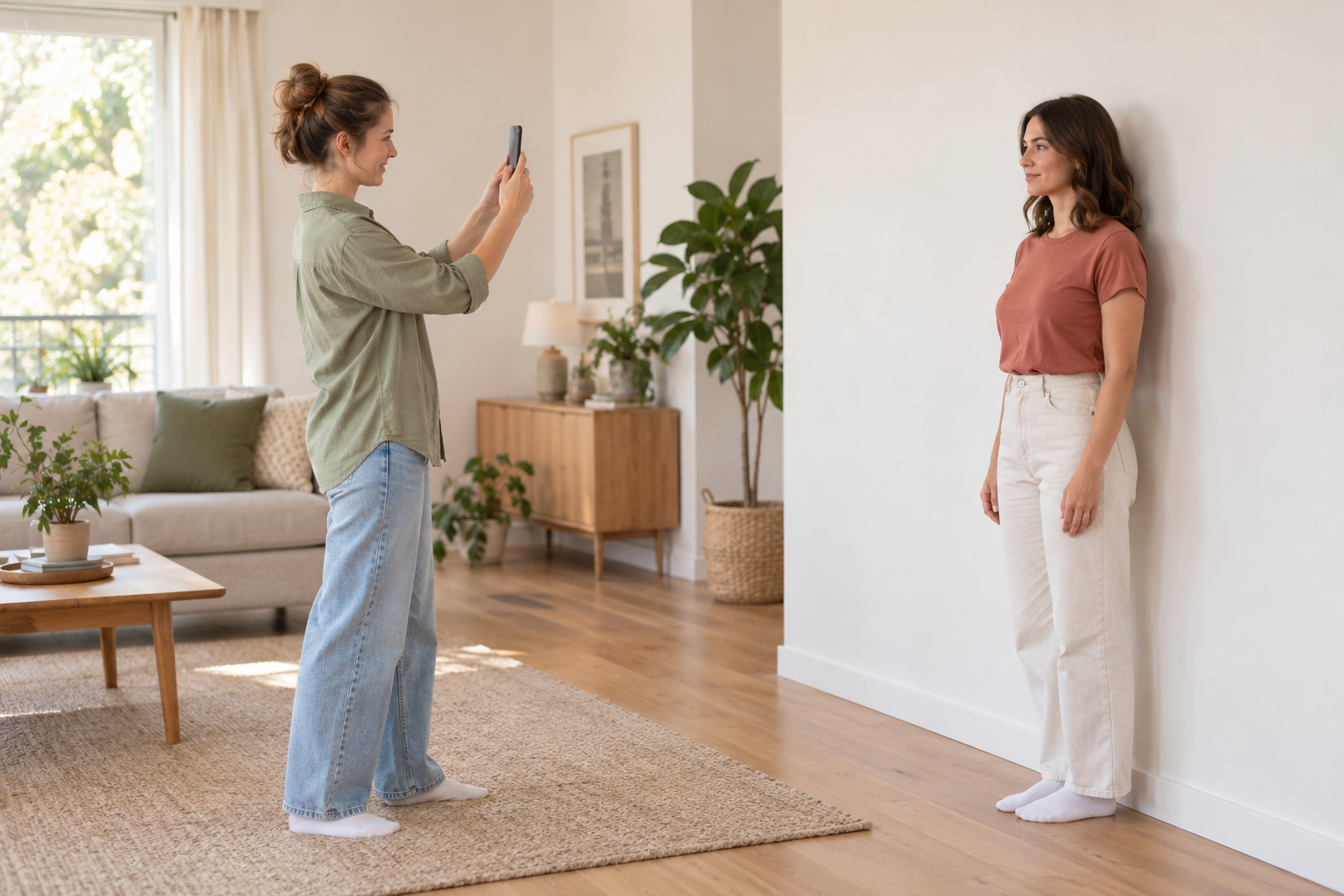
Use your unedited camera photo, taken in good lighting against a plain white or off-white wall.
Read the checks, adjust the head guides, and inspect your own 2×2 crop and six-photo layout for free.
Download both JPGs for free, print at actual size and measure before cutting.
FixMyPassportPhoto checks and crops your selected picture locally in your browser. You can make a 2×2 U.S. passport photo preview and inspect a six-photo 4×6 layout without uploading your picture to our servers or an external photo-processing service.
The website host still receives normal page requests. Optional visit-source and usage counts are separate and off by default. Read what is processed and stored.
Practical guides for your photo, from taking it to understanding a rejection notice.
Understand what happened and what to check next.
Read the guideSet up a simple, evenly lit photo at home.
Read the guideWhat automated estimates can and cannot tell you.
Read the guideCompare passport photo sizes in inches, millimetres and pixels for the U.S., UK, India, Canada and Schengen visas.
Preparing a paper application? Explore the 4×6 print-sheet guide
Review the U.S. passport photo requirements alongside the estimates. Cropping and arranging a photo cannot fix poor lighting, an unsuitable background, or a turned head.
These automated checks are estimates, not official approval or a human expert review. We cannot authenticate your identity, when a photo was taken, or whether it was AI-generated, retouched or beautified. The State Department’s system and staff make the final decision. A failed or uncertain check blocks the download. We never replace your background, retouch your face or generate a photo. Automated checks can miss problems; your confirmations are not independently verified by us. The 600×600 JPG is our print output, not an online-renewal certification.
We cannot guarantee acceptance. Our estimates are not a government decision or human expert review. Even a photo that passes the official system's initial checks is subject to staff review. Review the official requirements yourself.
For an in-person DS-11 application or DS-82 mail renewal, follow the form instructions for one printed 2×2 inch color photo. For online renewal, upload your original unedited camera file to the State Department and crop it there; you do not need print files.
Yes. All processing of your selected photo runs locally in your web browser; this tool does not upload it to our servers or external photo-processing services. The website host still receives normal page requests. Use Clear photo to start again, and do not attach photos or identity documents to feedback emails.
Review the flagged issues and our photo guides, then retake your photo if needed. The checks are estimates and may miss issues. Checking is free. Resolve blocking issues and complete the photo confirmations before downloading print files.
Download one 600×600 JPG for a 2×2 inch print and one 1200×1800 JPG with six copies on a 4×6 sheet. Both are free and unwatermarked.
No. We crop and resize your own original photo and arrange copies on a sheet. If the background, lighting or expression needs fixing, retake the photo. We do not change your appearance or generate passport photos.
Use matte or glossy photo-quality paper at a photo lab or photo printer. Select 4×6 paper and 100% actual size; turn off fit-to-page and automatic cropping. Measure a finished photo before cutting: it must be 2×2 inches. Follow our 4×6 printing guide.
Our existing policy offers a full refund if you are dissatisfied within 14 days of purchase, and a refund of the service fee if the State Department rejects a photo prepared through the service. This is not an acceptance guarantee. See the full refund policy.
After trying a check, tell us your phone model, browser, whether the check finished, and which message was useful or confusing. Please mention where you found this tool; that helps us learn which guides are useful.
Your email app will open; nothing is sent automatically. Do not attach your photo, passport or other identity documents. Email reveals your email address to us, so send only details you are comfortable sharing.